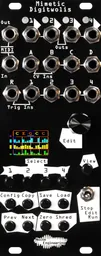
We’ve been covering a lot of the sequencing, configuration, and basic workflow features of Mimetic Digitwolis in our recent posts. Today, though, we’re getting more creative and exploring three ways to use MD2 “wrong” – while it’s a sequencer at its heart, it can do a whole lot more than just sequencing in a patch.
Starting out
All three of these patches require a sequence length of 1. You can set this with the “Len” field in the Config: Sequence submenu, or by holding a lane select button and pressing and turning the encoder. Each patch also requires different mappings, so unmap any remaining inputs between patches (or just load up the Null preset).
Sample and Hold
Mimetic Digitwolis can have external CV values recorded to its steps. This is a great utility for recording sequences from other sequencers or generating sequences from other voltage generators, but it can also be repurposed as a classic sample and hold utility.
To start, set a lane to CV. For this patch, we don’t need any step advancing, so set any mappings in the Step submenu to off. Then, set a trigger and CV input mapping in the Modify submenu.
Patch in a trigger source and a CV signal, and the sampled signal will output at the lane’s Out jack!
This patch is perfect for modulation CV, but if you want to generate melodic content from your CV, you can use the Qtiz lane type.
Clock division and generation
Trig lanes can be repurposed as simple clock dividers, or used to convert clocks in other formats to analog triggers.
To start, set the lane to the Trig type, and set step 1 to high with the encoder.
Then, map Advn to a trigger input (and Rset to another if you’re synchronizing multiple sequencers together).
Navigate to the Seq submenu, and change the Div field to your desired value, from 1 (no division) to 16.
If you need to convert DIN Sync or MIDI clock to analog pulses, you can do so with the same patch. Set the Transport source in the Globals menu to MIDI or DIN (and set the inputs to your run and clock signals). Then, navigate back to the Step submenu, and set Advn to an appropriate Tprt setting for the desired clock frequency. You can learn more about the Transport system in our previous blog on the subject here.
Random pitch generator
The famous Source of Uncertainty has a subsection that generates random semitone and octave CV each time it’s triggered. We can use Mimetic Digitwolis to recreate this functionality.
Set a lane to the Note type, then map Shrd to a trigger input in the Modify submenu. The Output menu contains the Scale submenu, and the minimum and maximum parameters to constrain the voltage range. For just octaves, set the Scale to only C, then set the Max parameter to the desired highest octave.
To generate completely random semitones, set the Scale to all notes, or a desired scale.
Multiple lanes can be configured this way with a shared Shred mapping to generate multiple types of random voltages from a single trigger. For example, Lane 1 could generate random octaves across 5 volts, while lane 2 generates random semitones across a single octave.
Scratching the surface
With its immense configurability, Mimetic Digitwolis is ripe for experimentation. If you’ve created a cool patch, we want to see – tag us on social media or send us an email to share!